
How to market a Shopify app after approval
Your Shopify app got approved. Here is how to market a Shopify app, get your first installs, earn reviews, and build compounding organic growth.
Getting your app approved and listed on the Shopify App Store feels like the finish line. It is actually the starting line. Approval means Shopify thinks your app is built well enough to exist. It says nothing about whether merchants will ever find it, understand it, or install it. If you are a new Shopify app developer wondering what to do after a Shopify app is approved, and how to get Shopify app installs from day one, this is the guide.
The hard truth is that most first apps die quietly in the listing graveyard. Not because the app is bad, but because nobody told the developer how to market a Shopify app the day after launch. This guide fixes that. It is the playbook we wish every Shopify partner had on day one: how to turn a live listing into installs, installs into reviews, and reviews into compounding organic growth that keeps working while you sleep.
Work through it in order. Each step builds on the last.
1. Start with your listing, because it is your storefront
Before you spend a single dollar or send a single email, fix your listing. Every install you ever get, paid or organic, passes through this page. A weak listing leaks installs at every stage, so this is the highest-leverage work you will do. Shopify app store optimization starts here, not with ads.
Your Shopify app listing images have three seconds to land
Merchants scan. They do not study. When someone lands on your listing, your Shopify app listing images have to communicate what your app does and why it matters before they decide to scroll on. If a merchant cannot understand the core function of your app in roughly three seconds of looking at your first image, that image is failing its only job.
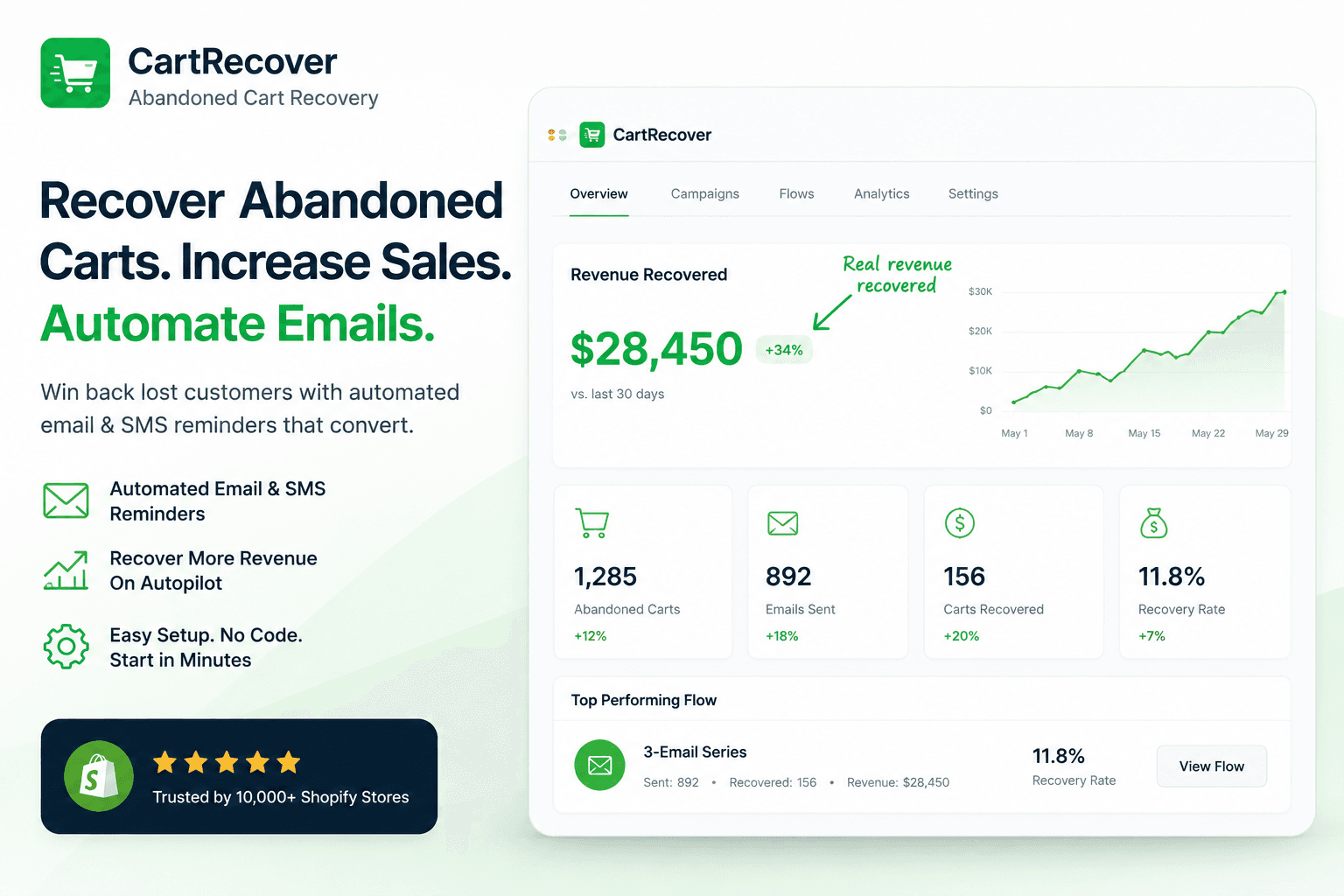
A few principles that consistently work:
The first image is your hook. It should show the single most important thing your app does, ideally as a real screenshot of the actual interface or the actual result inside a store. Abstract graphics, vague icons, and stock-photo collages waste this slot. Show the thing.
Annotate when it helps. A short label or arrow pointing at the part of the screen that matters removes guesswork. You are guiding the eye, not decorating.
Show the outcome, not just the dashboard. Merchants do not buy software. They buy a result. If your app recovers abandoned carts, show the recovered revenue. If it speeds up the store, show the before-and-after load time. A screenshot of a settings panel tells them nothing about why they should care.
Keep it consistent. Same fonts, same color treatment, same style across every image so the set reads as one confident brand rather than five mismatched slides.
If you only have time to perfect one asset on your whole listing, make it the first image.
Your copy has to lead with the problem, not the feature list
This is the mistake almost every developer makes. They open their description with what the app does: "Sync your inventory across multiple sales channels in real time with our advanced rules engine." That sentence is about you. The merchant does not wake up wanting a rules engine. They wake up because they oversold an item, refunded an angry customer, and never want that to happen again.
Lead with the problem you solve, and lead with it immediately.
Your tagline or subtitle is the most valuable copy real estate on the entire page, because it shows up in search results and at the top of the listing. Use it to name the problem or the outcome in plain merchant language. Then carry that straight into the first line of your description. The opening sentence should make the right merchant think "yes, that is my exact problem." Only after you have hooked them on the problem do you earn the right to talk about features, and even then, frame each feature as the relief it provides.
A simple test: read your first subtitle and first description sentence out loud. If a merchant could not tell you what pain it removes, rewrite it. You are not writing a spec sheet. You are telling someone you understand the thing keeping them up at night.
How to optimize a Shopify app listing for search
Organic search is the most overlooked growth channel in the entire app ecosystem, and it is free. Merchants find apps two ways: they search inside the Shopify App Store, and they search Google for a solution to their problem. Both run on keywords. If your listing is not built around the words real merchants type, you are invisible to the people most ready to install. This is the core of how to optimize a Shopify app listing.
The catch is that merchants search in problem language, not feature language. They do not search "inventory sync rules engine." They search "stop overselling Shopify" or "low stock alerts." Your job is to figure out the exact Shopify app store keywords your ideal customer uses and weave them naturally into your app name, tagline, description, and keyword fields. The Shopify search algorithm leans heavily on your app name and tagline, so those are not the place to be clever or vague.
You do not have to guess at this. The fastest way to find the keywords that already work in your category is to see what your competitors are ranking for, then move into that space deliberately instead of blindly. A paid tool like AppJubilee is built specifically for this. It shows you which keywords competing apps rank for in the App Store so you can target proven terms from day one rather than spending months discovering them the slow way. Knowing the landscape before you write a single line of copy is a genuine head start.
One more thing that almost nobody does, and that pays off immediately: install the Google Analytics pixel on your listing. Shopify lets you add it. Once it is in place you can see which keywords and sources are actually driving clicks and installs, instead of guessing. That data tells you which terms to double down on and which parts of your copy to rewrite. You cannot optimize what you cannot measure.
2. Make the first five minutes count, or acquisition is wasted
Here is the section that gets skipped and quietly kills more apps than bad marketing ever does. Every install you work for can vanish in a day. A large share of uninstalls happen in the first 24 to 72 hours, when the merchant opens the app, gets confused or sees no immediate value, and removes it. Pouring traffic into an app that does not retain is like filling a bucket with a hole in it. If your Shopify app is not getting installs to stick, this is usually why.
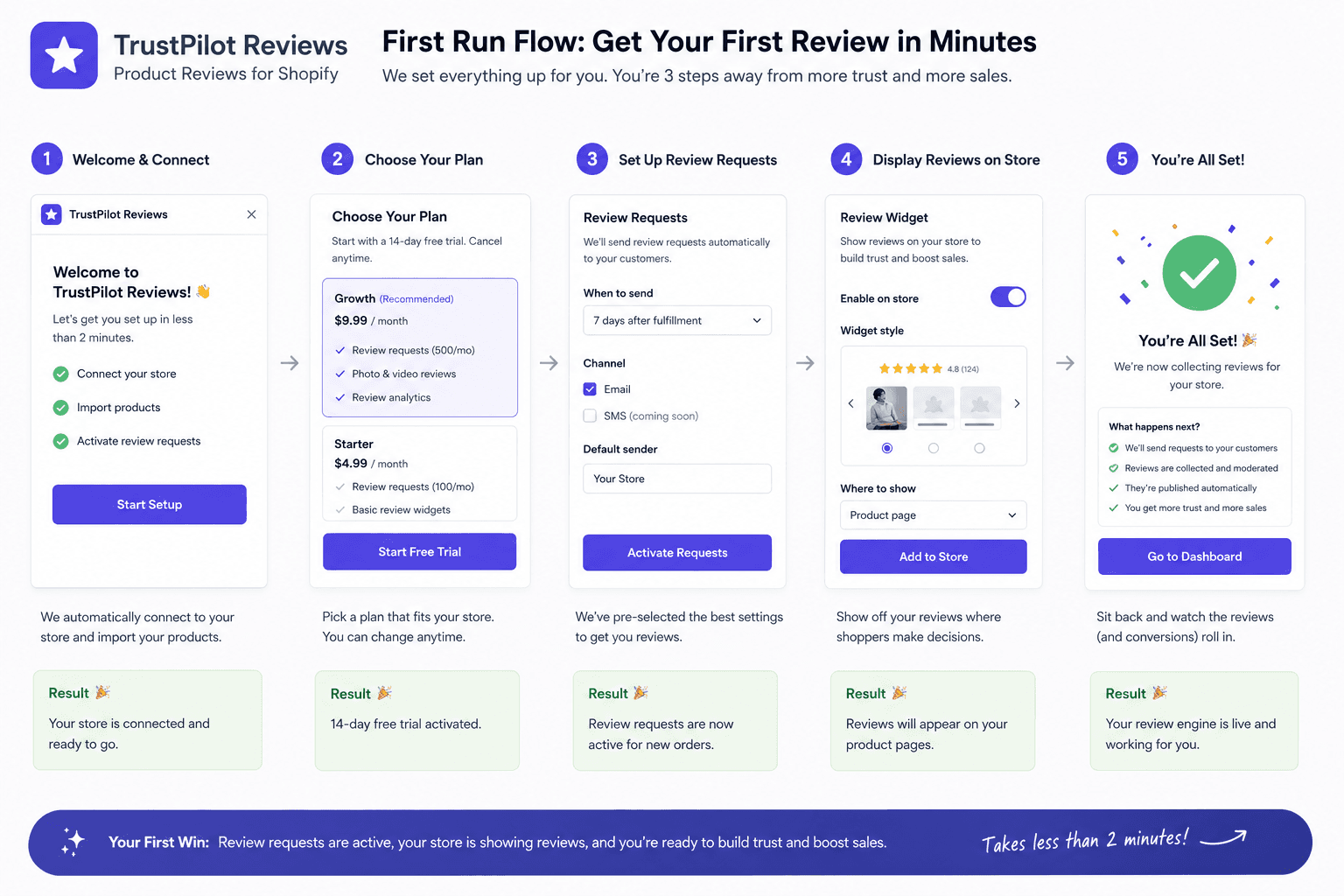
Design the first run so the merchant reaches a win fast. Do not greet them with an empty dashboard and twelve settings to configure. Use sensible defaults so the app does something useful the moment it is installed. Guide them to one clear action that produces one visible result, then let the deeper configuration come later. The goal of the first session is not a fully configured app. It is a merchant who thinks "oh, this already helped."
This is also where your trial strategy matters. For some apps the value is obvious in the first minute, and a short trial or even a free tier works fine. But for many apps the value is relational, not instantaneous. It compounds over days as data accumulates or as the merchant builds a habit. If your app is like that, a too-short trial cuts merchants off before they ever feel the benefit, and they churn before they were ever going to convert. Match your trial length to how long it actually takes a merchant to feel the value, not to an industry default you copied from someone else.
Get this section right and every other channel in this guide works harder, because the installs you earn actually stick.
3. How to get reviews on the Shopify App Store
Reviews are the single biggest trust signal on your listing and one of the strongest inputs into App Store ranking. A new app with a handful of genuine, recent five-star reviews will out-convert an app with none, every time. But reviews do not happen by accident. You have to ask, and you have to ask at the right moment. Knowing how to get reviews on the Shopify App Store is one of the highest-leverage skills a Shopify app developer can build.
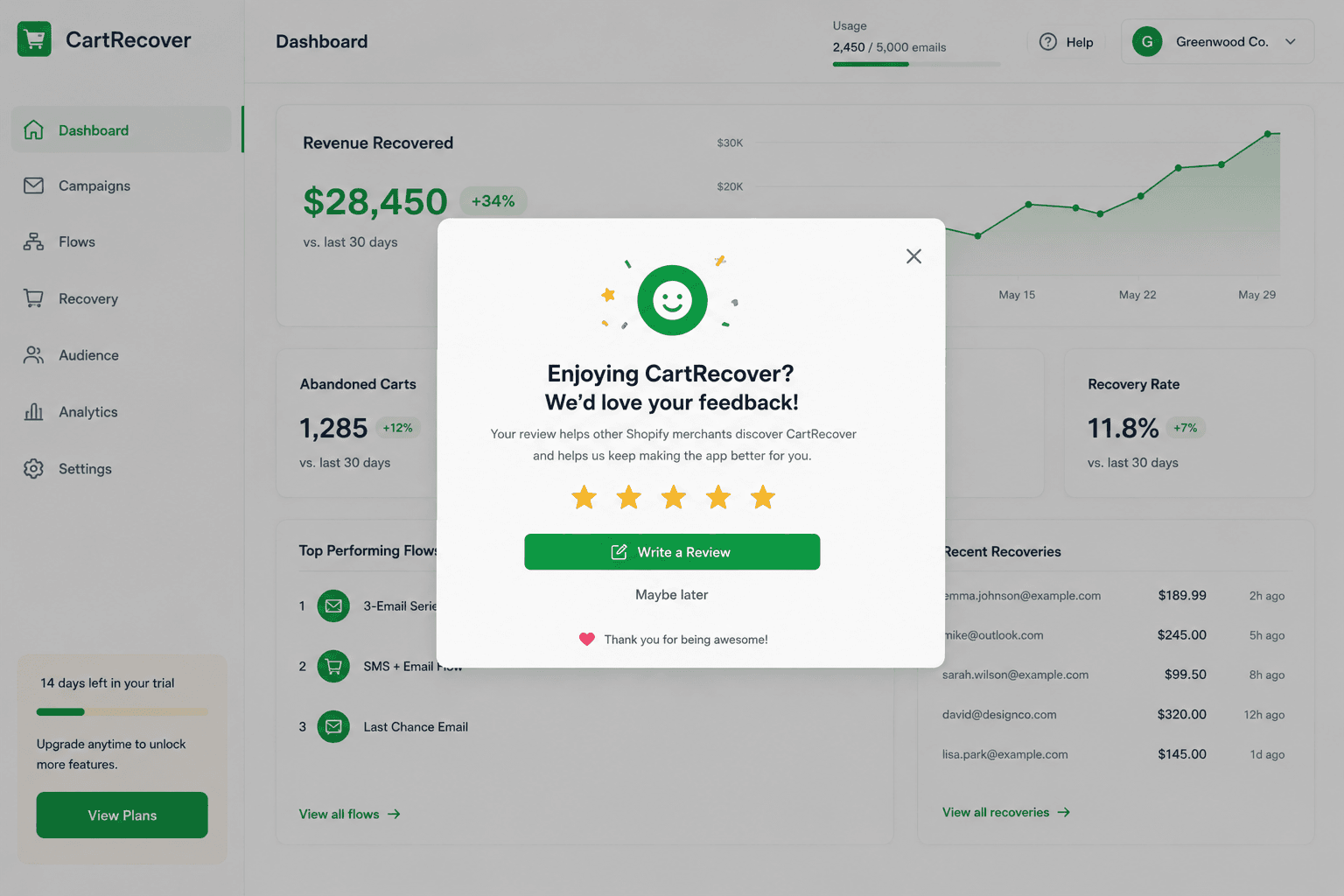
Build a review prompt into your app, and trigger it at a moment of success rather than on install. Ask right after the merchant has gotten a real win from your app, when the good feeling is fresh. Asking a confused new user to rate you before they have seen value is how you collect mediocre reviews.
For your first handful of installs, get personal. Email each early merchant something genuinely human, not a template. Offer help first: let them know you built the app, you are around if they hit any snag, and you want them to get value from it. Then, separately, make the ask simple and warm: if they are enjoying it, a quick review on your App Store listing would mean a lot to you, and here is the direct link. People say yes to a real founder who helped them far more often than they say yes to an automated nag.
Then respond to your reviews, all of them, in public. Thank the happy ones briefly. Treat the negative ones as gold. A calm, helpful public reply to a one-star review, where you acknowledge the issue and explain how you fixed it or will fix it, often does more for a prospective merchant reading the page than the original complaint does to scare them off. It signals that a real person stands behind the app and will not leave them stranded. Many merchants read the negative reviews and your responses specifically to judge how you handle problems. Show them.
4. Shopify app cross-promotion with apps that complete yours
Some of the most efficient growth comes from partnering with other app developers, and it costs nothing but a conversation. Shopify app cross-promotion works because you are looking for the situation where a single merchant genuinely needs both apps to solve a larger workflow, so recommending each other is not a favor, it is useful to the merchant.
Think about what a store using your app almost certainly also needs. If you build a reviews app, a loyalty app or an email app is a natural partner. If you build a shipping app, a returns app pairs well. Reach out to those developers directly and propose a mutual arrangement: you mention them where it makes sense for your users, they mention you where it makes sense for theirs. Because the recommendation actually helps the merchant, both apps get installed and everybody wins, including the store owner.
Cross-promotion can take many forms: a tasteful in-app recommendation at the right moment, a mention in your onboarding emails, a swapped guest blog post, a co-authored guide, or a simple bundle suggestion. Done with apps that truly fit, it is one of the highest-trust, lowest-cost ways to market a Shopify app for free, because the introduction comes with built-in credibility.
5. Run targeted email outreach to your ideal stores
Cold outreach, done thoughtfully, is one of the fastest ways to get your first Shopify app installs while your organic channels are still warming up. The whole game is targeting the right stores and writing like a human.
🚀 Find Shopify stores instantly → Try StoreCensus Free
Know who you are targeting, and target precisely
Start with your ideal customer. If you already know exactly who that is, build your list around it. If you are not sure who your ideal customer is yet, here is the shortcut: find Shopify stores using competitor apps, or apps that complement yours. Stores running a competitor have already told you they have the problem and are willing to pay to solve it. Stores running a complementary app are primed to want what you offer. Either way, you are reaching merchants who have proven intent instead of spraying strangers.
This is exactly the kind of targeting StoreCensus is built for. You can filter the universe of Shopify and WooCommerce stores by the apps they run, by store size so you can separate small shops from large merchants, by country, and by other signals, so your list is full of stores that genuinely fit instead of random noise. The tighter your targeting, the higher your response rate and the less you annoy people who were never going to install.
Pick your sending approach
Once you have a clean, targeted list, you have two main paths.
You can use a dedicated cold email platform like Instantly, which is built to send at volume, warm up your domains, and manage deliverability so your messages actually land. This is the right choice when your list is large and you want to scale.
Or you can send manually from your own Gmail account, one thoughtful message at a time, with copy written specifically for that store. Manual sending does not scale, but for your first dozens of Shopify app cold email outreach it can convert extremely well because each message feels personal and intentional. Many founders start manual to learn what copy resonates, then move to a platform once they know what works.
Write to a busy business owner, not to an audience
This is where most outreach fails. Understand who is actually reading. A lot of the email addresses you will reach are business inboxes like hello@ or support@. That is fine. These are real businesses, and business owners check their email many times a day because email is how their business runs. So write with the right mental frame: you are interrupting a busy person with limited time who is looking for solutions, not browsing for entertainment.
The emails that get deleted in half a second are the ones that read like an advertisement. Polished, salesy, clearly mass-produced. The ones that get read speak directly to the store, sometimes in an unconventional way, like one person genuinely talking to another. Reference something real about their store. Name the specific problem you noticed they might have. Be brief, be human, and make it obvious a person wrote this for them. Sometimes the slightly unexpected, plainly-written note outperforms the slick one precisely because it does not pattern-match to spam.
Never include a link. Let them search your name.
This is one of the most important and most counterintuitive rules in the whole guide. Do not put a link to your app in your cold emails. Links trigger spam filters, lower deliverability, and make your message look exactly like the ads people delete on sight. Instead, mention your app by name and let the merchant search for it. If your message did its job and named a problem they have, a curious merchant will simply type your app name into Google or the App Store and find you. A name in plain text feels like a recommendation. A link feels like an ad. The plain-text mention lands in more inboxes and converts better.
6. Build a website and let SEO compound
Your App Store listing is rented land. A website you own is the asset that keeps paying off for years. Building a proper site for your app, optimized for the same keywords you targeted on your listing, gives you a second front door that the Shopify search algorithm does not control. This is one of the most durable ways to market a Shopify app for free over the long run.
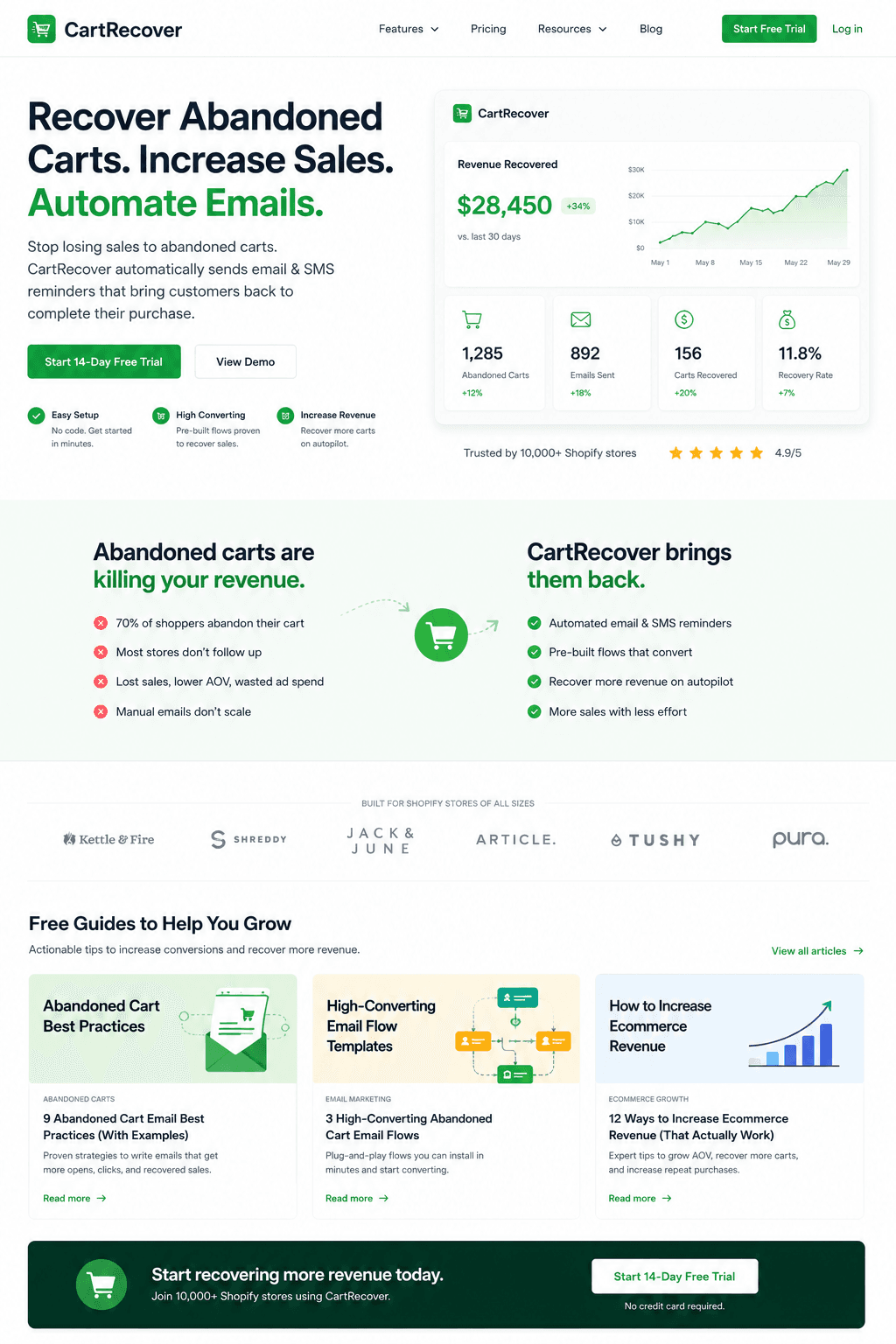
Go beyond a single landing page. Publish genuinely valuable, helpful blog content about the problem your app solves. Write the guide a frustrated merchant would search for at 11pm when they hit the exact pain your app addresses. Answer the question fully and honestly, and let your app be the natural solution that comes up inside a genuinely useful article.
Be patient with this one. SEO content does not pay off in a week. It can take months for posts to rank and for the traffic to build. But once it does, you have a second stream of organic, intent-driven visitors arriving for free, day after day, with no ad spend behind it. The compounding is the point. The post you publish today is still pulling in merchants a year from now. Few channels reward consistency the way this one does.
7. Show up where merchants already are
The merchants you want are already online, talking about their problems and looking for answers. Your job is to be present and helpful in those places, not to spam them.
Social platforms and Shopify communities
Post helpful information about the specific problem your app solves in the places Shopify merchants gather: Facebook groups for Shopify store owners, LinkedIn, and Twitter, both in relevant communities and on your own account. The content that works is the content that helps first. Share a real tip, a real fix, a real insight tied to the problem you solve. When you are consistently useful, mentioning your app becomes natural rather than promotional.
How to promote a Shopify app on YouTube
YouTube is wildly underused by Shopify app developers, and it doubles as a search engine. The play is simple and repeatable: record short, focused videos, even quick Loom-style screen recordings, each one built around a specific problem a Shopify merchant might have. Make the topic and title keyword-focused so the video is properly optimized and surfaces in search. Then, in the video, walk through the problem and offer the solution.
Picture a merchant typing their exact frustration into the search bar and your video coming up with a clear, helpful answer, where your app happens to be part of the solution. That is the entire strategy. One tightly-targeted problem-and-solution video per topic, optimized to be found by the person already searching for that problem.
How to promote a Shopify app on Reddit
Reddit can be powerful if you respect how it works. If your problem space is specific enough, you can even build a small subreddit around it over time. Short of that, participate genuinely in Shopify-related subreddits: answer questions, share helpful tidbits, and be a real contributor rather than a drive-by promoter. When you encounter someone describing the exact problem your app solves, you can mention your app by name in a comment, occasionally and only when it genuinely helps.
As with email, do not drop links. Mention the app by name and let people search for it. A name in a helpful comment reads as a recommendation. A link reads as self-promotion and gets you downvoted or removed. People will find you by searching, and they will trust you more for not having shoved a link at them.
8. Track what actually matters
You cannot grow what you do not measure. Beyond the Google Analytics pixel on your listing, lean on your Shopify Partner Dashboard to watch the metrics that tell you the truth: how many people view your listing, how many install, how many uninstall, and how fast.
The numbers that matter most early on are your listing conversion rate, which tells you whether your images and copy are working, and your early churn, which tells you whether your onboarding is working. If lots of people view and few install, fix the listing. If lots install and many leave within days, fix the first-run experience. Pair this with the keyword data from your analytics pixel so you know which search terms actually convert, then pour your effort into those terms across your listing, your site, and your content. Let the data, not your assumptions, decide where you spend your next hour.
A warning: stay away from fake reviews and "review services"
As soon as your app goes live, you will start getting messages from people offering to sell you reviews, often pitched as a service that will boost your ratings quickly. Do not do it, no matter how tempting it looks when your review count is at zero.
Bought reviews can get your app banned outright, and the risk is not worth any short-term bump. They are also obvious, both to Shopify and to merchants. Anyone can see signals like how long the reviewer actually had your app installed, and a wave of glowing reviews from accounts that installed and reviewed within minutes is a flashing red flag. Shopify actively monitors for exactly these patterns. Real merchants reading your page can smell fake reviews too, and nothing torches trust faster than a listing that looks gamed.
Earn your reviews the way described above: build something worth reviewing, deliver a real win, and ask genuinely at the right moment. Slower, yes. But real reviews compound your reputation instead of putting your entire app at risk.
The bottom line
Approval got you a listing. Everything in this guide is what turns that listing into a real, growing business. Start by making your listing impossible to misunderstand and built around the words merchants actually search. Make sure the installs you earn actually stick. Ask for reviews and stand behind them in public. Then stack your channels: targeted outreach for fast wins, partnerships for trusted introductions, and a website, content, video, and community presence for the organic traffic that compounds for years.
None of this is instant. The Shopify app developers who win are the ones who do the unglamorous work consistently while everyone else gives up after the launch buzz fades. Do the work, measure what happens, double down on what converts, and let the compounding do the rest.
Related guides
- How to Find and Target Shopify Stores - Build a qualified prospect list for your outreach campaigns
- Automating App Installs: The Complete Guide to Hands-Off Growth - Turn competitor install signals into an automated lead machine
- How to Build a Shopify Agency Pipeline That Converts - Proven pipeline strategies for scaling your Shopify business